How to Use Mirroring-link for Android Phones

How to Use Mirroring-link for Android Phones

June 23, 2020

1. Go to Settings and select "Smartphone".
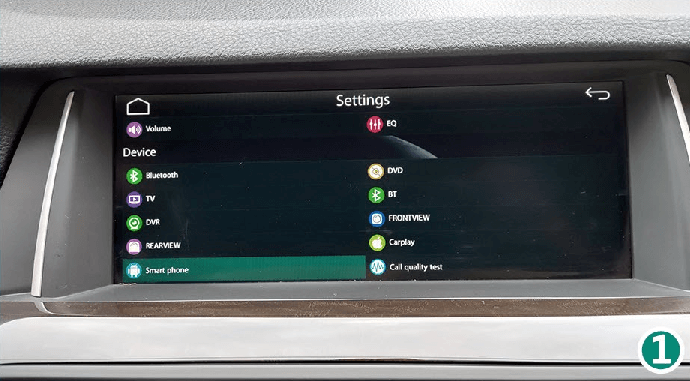
How to use Mirroring-link for Android phones after installing CarPlay Smart Box?

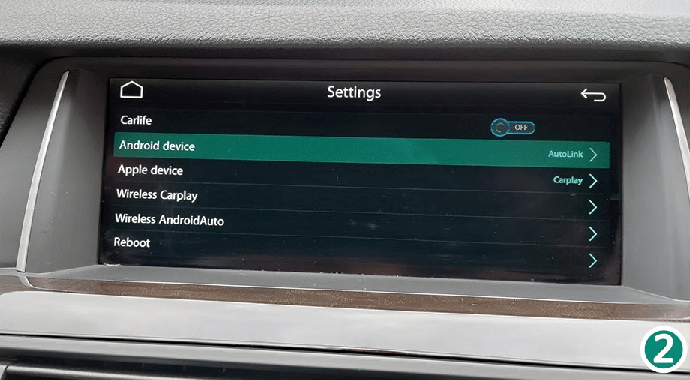
2. Select "Android Device".

How to use Mirroring-link for Android phones after installing CarPlay Smart Box?

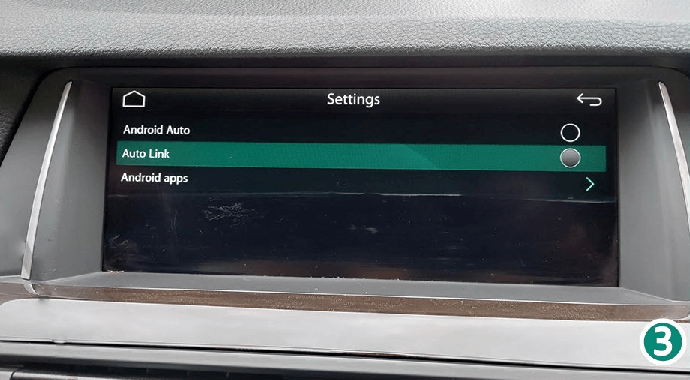
3. Select "Auto Link".

How to use Mirroring-link for Android phones after installing CarPlay Smart Box?

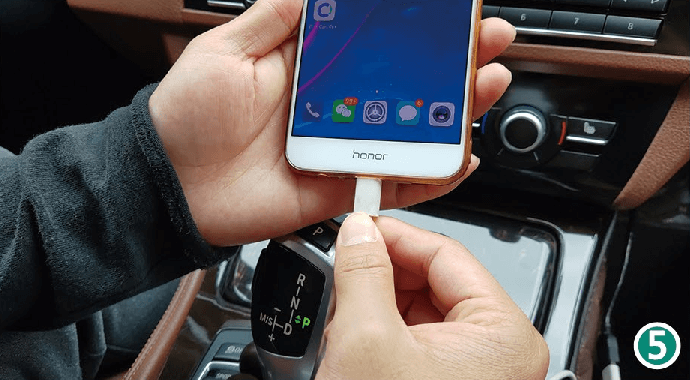
4. Connect the Type-C cable to the USB cable of the CarPlay Smart Box kit.
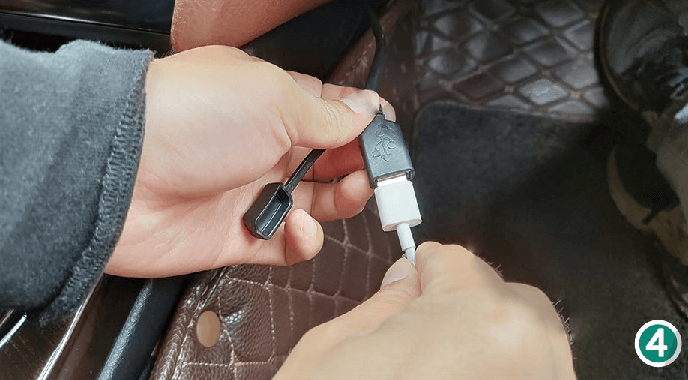
How to use Mirroring-link for Android phones after installing CarPlay Smart Box?

5. Connect to your phone.

How to use Mirroring-link for Android phones after installing CarPlay Smart Box?

6. Connect to "Android App" to get the Autolink app download link .
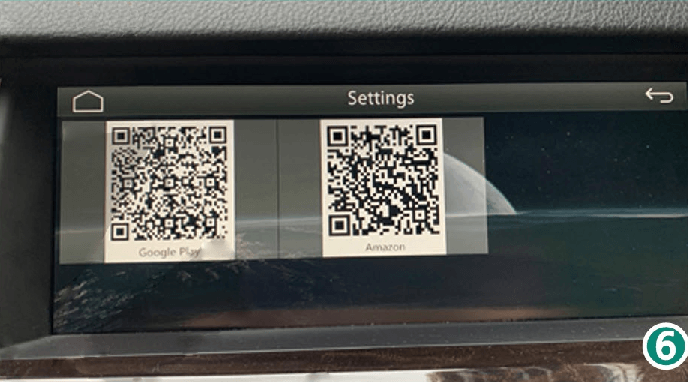
How to use Mirroring-link for Android phones after installing CarPlay Smart Box?

7. Download the Autolink app to your phone.
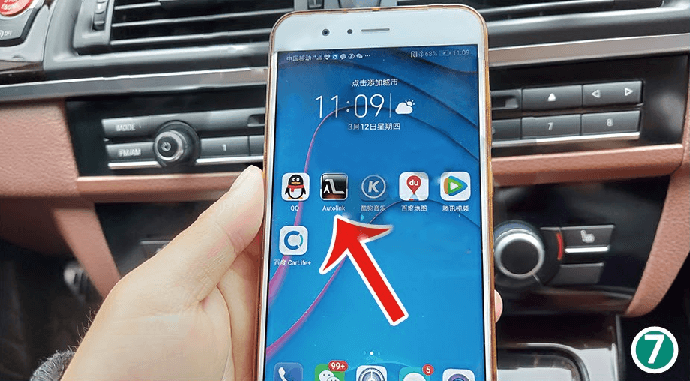
How to use Mirroring-link for Android phones after installing CarPlay Smart Box?

How to use Mirroring-link for Android phones after installing CarPlay Smart Box?

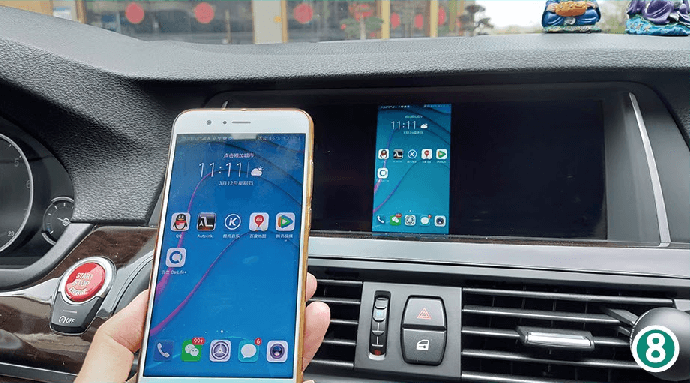
Enjoy!

RELATED ARTICLES

Sidebar