How to connect to CarPlay Wireless

How to connect to CarPlay Wireless

June 12, 2020

1. Go to "Multimedia" in the factory main menu.
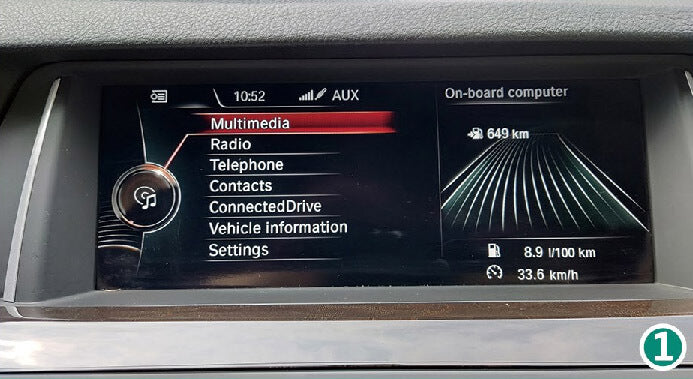
Access 'Multimedia' in the factory main menu. How do I connect to CarPlay wirelessly after installing the CarPlay Smart Box?

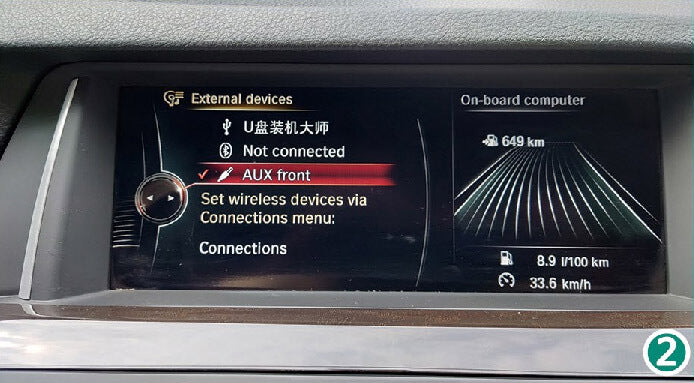
2. Select the AUX channel.

Select the AUX channel. How to connect to CarPlay wirelessly after installing the CarPlay Smart Box?

3. Press the switch button (see installation diagram).
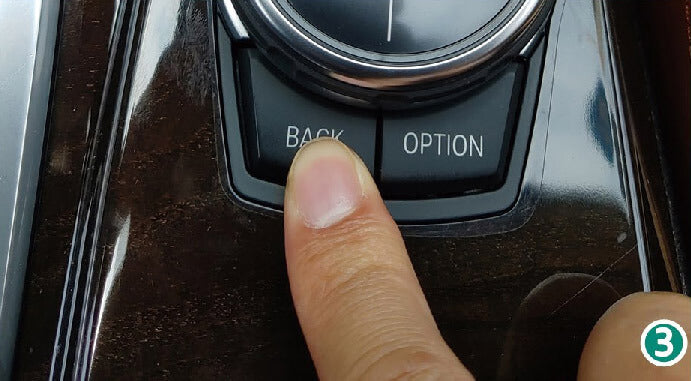
Press the switch button. How do I connect to CarPlay wirelessly after installing the CarPlay Smart Box?

4. After that the SmartBox main menu will appear.
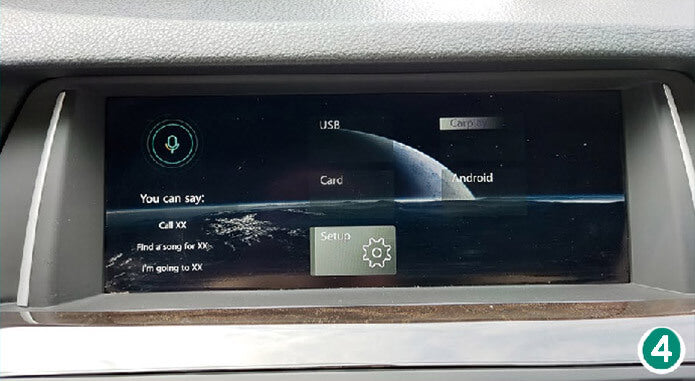
After that, the SmartBox main menu will appear. How do I connect to CarPlay wirelessly after installing the CarPlay SmartBox?

5. Click on "Setup", select "Bluetooth".
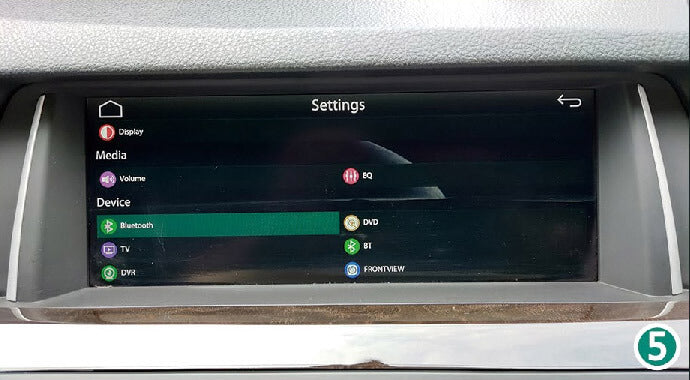
Click "Setup", select "Bluetooth". How to connect CarPlay wireless after

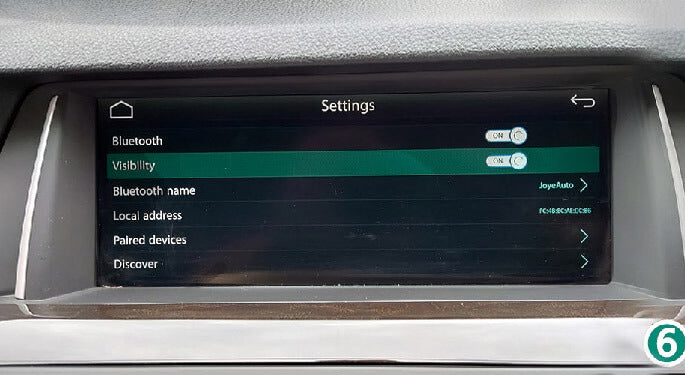
6. Turn visibility ON.

Turn visibility ON. How to connect wireless CarPlay after

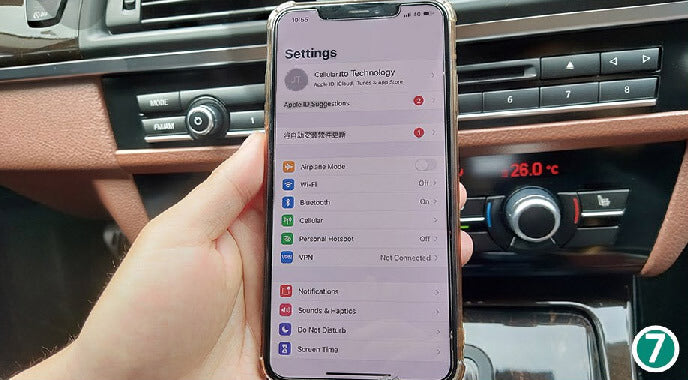
7. Go to your iPhone Settings.

Go to your iPhone's settings. How do I connect to CarPlay wirelessly after installing the CarPlay Smart Box?

8. Turn Wi-Fi ON (DO NOT connect to any networks); the WIFI-AP-*** network will appear (no need to connect).
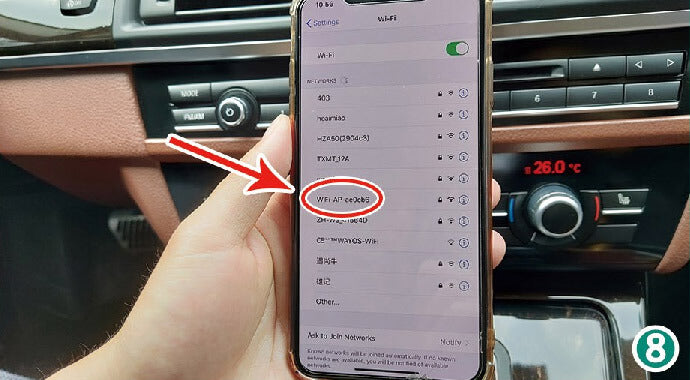
Turn Wi-Fi ON. How to connect wireless CarPlay after

9. Turn Bluetooth ON; the Bluetooth option will appear.
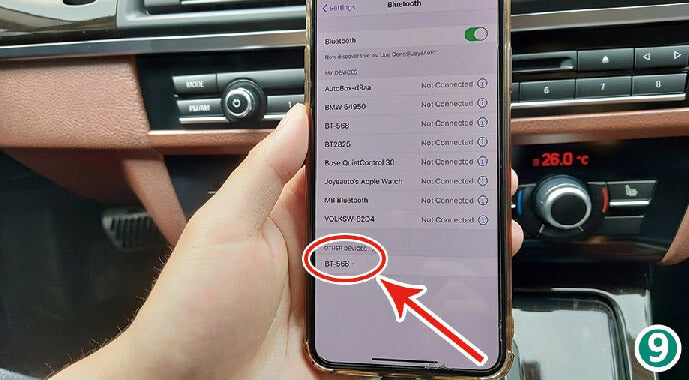
Turn Bluetooth ON, the

10. You will receive a Bluetooth pairing request: confirm pairing.
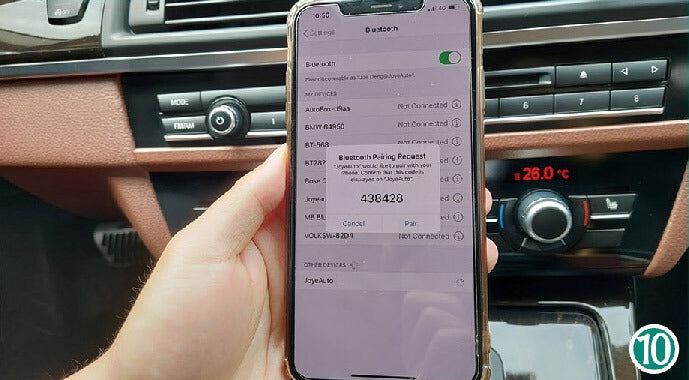
Bluetooth pairing request: Confirm pairing. How to connect to CarPlay wirelessly after installing the CarPlay Smart Box?

11. Allow syncing of contacts and bookmarks.
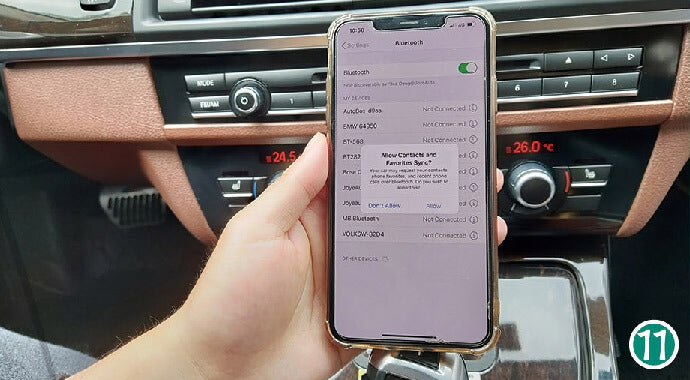
Allow contacts and favorites to sync. How do I connect to CarPlay wirelessly after installing the CarPlay Smart Box?

12. Click on "Paired device" in Bluetooth (visibility will turn off after pairing).
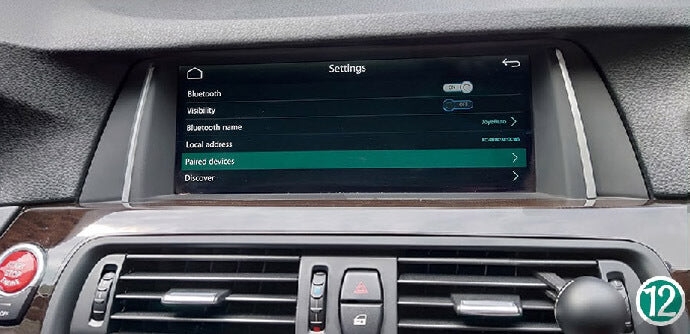
Click on "Paired device" in Bluetooth (visibility will turn off after

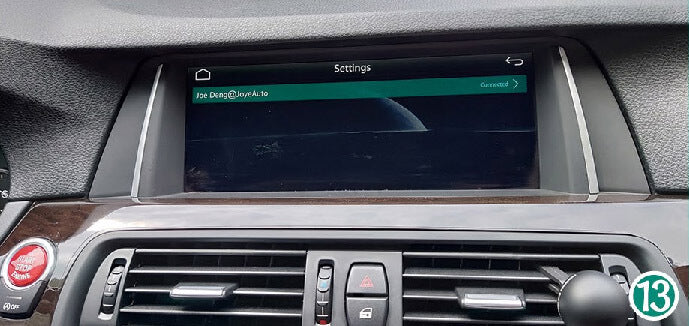
13. Click on the iPhone's Bluetooth.

Click on iPhone's Bluetooth. How do I connect to CarPlay wirelessly after installing the CarPlay Smart Box?

14. After that click on "WiFi CarPlay".
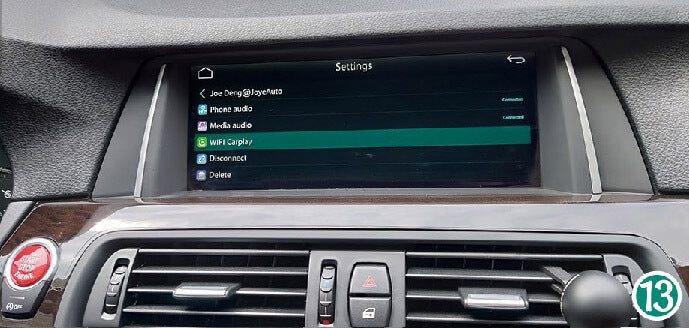
Then click on 'WiFi CarPlay'. How do I connect to CarPlay wirelessly after installing the CarPlay Smart Box?

15. Your iPhone will receive a “USE CarPlay” prompt, after which it will automatically enter CarPlay.
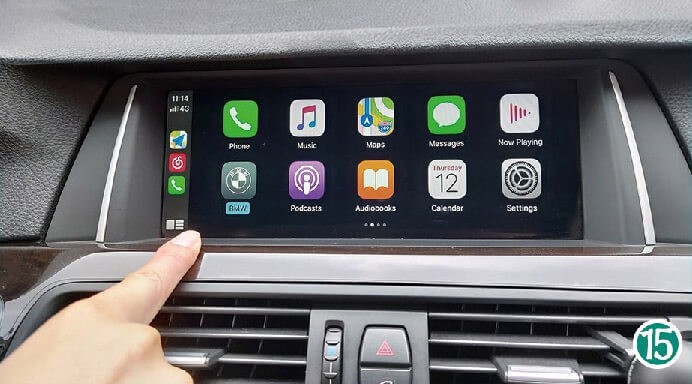
Your iPhone will receive a "USE CarPlay" prompt, after which it will automatically log into CarPlay. How do I connect to CarPlay wirelessly after installing the CarPlay Smart Box?

All set. Enjoy!

RELATED ARTICLES

Sidebar